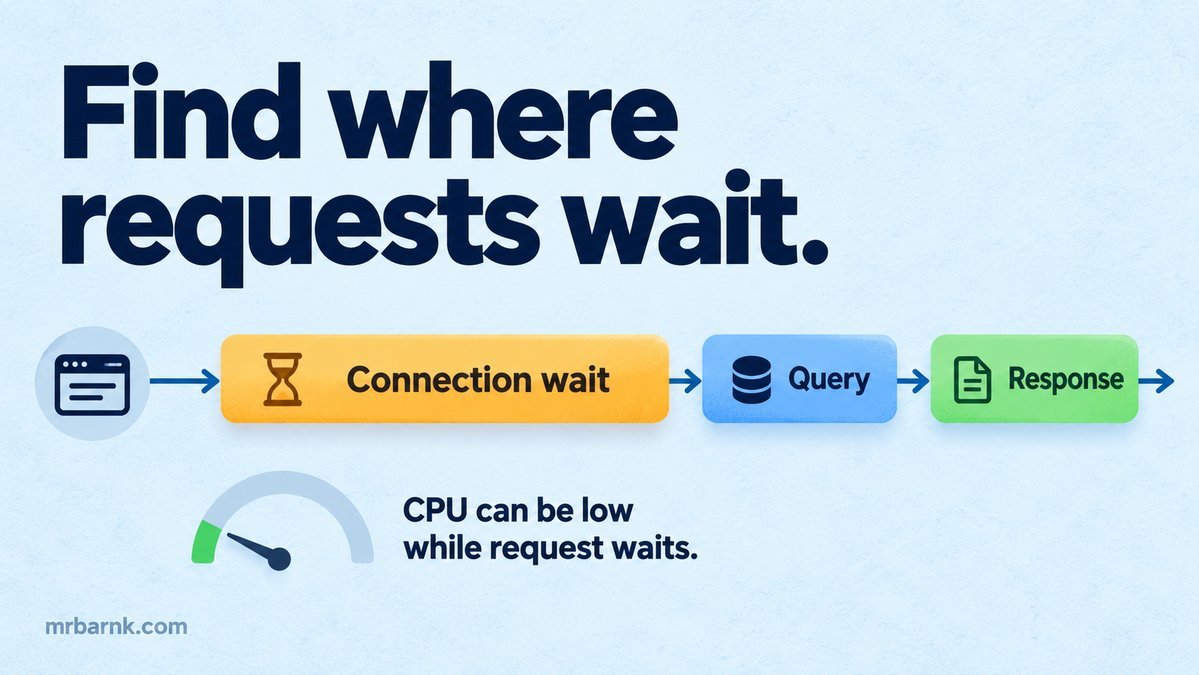
Node.js latency tracing helps when customers report slow requests while your CPU chart looks normal. The application may spend most of its time waiting for a connection, a queue slot or another service. CPU doesn’t describe those waits.
Before changing code, we need to follow one request across those boundaries. Let’s start with a request identity, then add timings that explain what the request was actually doing.
Carry one trace across the work
Create or validate a trace context at ingress and propagate it through trusted service and queue boundaries. Treat incoming correlation fields as untrusted input: validate their format and don’t let them become authorisation claims.
A trace groups related work. A span records one operation inside it, with start time, end time and a parent relationship. OpenTelemetry documents these concepts and how they fit distributed requests. Trace reference.
For queued work, preserve both the causal link to the original request and the time spent waiting before the worker starts. A fresh trace created only inside the worker can hide the queue delay.
Time the boundaries separately
Record pool acquisition and query execution as different spans when your client exposes them. A fast query doesn’t mean fast database access if the request spent a second waiting for a connection.
Do the same for queue wait, provider request time and local response preparation. Keep optional enrichment separate from required work so the critical path is visible.
Don’t add concurrent span durations to calculate response time. Two reads running together overlap. Use their actual start and end times to see which path determined completion.
Build a small local recorder
The example records a pool wait, a database operation and two parallel service calls. It uses real local timers and a monotonic process clock. The assertions check trace structure, not a fixed latency threshold.
import assert from 'node:assert/strict';
import {performance} from 'node:perf_hooks';
import {setTimeout as sleep} from 'node:timers/promises';
const spans=[];
async function span(name,parent,fn){
  const record={id:spans.length+1,name,parent,start:performance.now()};spans.push(record);
  try{return await fn(record.id);}finally{record.duration=performance.now()-record.start;}
}
await span('request',null,async root=>{
  await span('db.pool_wait',root,()=>sleep(8));
  await span('db.query',root,()=>sleep(3));
  await Promise.all([span('catalogue',root,()=>sleep(12)),span('delivery',root,()=>sleep(6))]);
});
assert.equal(spans.length,5);
assert.ok(spans.slice(1).every(s=>s.parent===spans[0].id));
assert.ok(spans.every(s=>s.duration>=0));
console.log(JSON.stringify(spans.map(s=>({...s,duration:Number(s.duration.toFixed(2))})),null,2));
console.log('PASS: local spans preserve parentage and record actual elapsed durations');
The printed durations are observations from this run. Timer scheduling can vary. This recorder isn’t an OpenTelemetry exporter or a substitute for a production tracing SDK; it makes the measurement boundaries easy to inspect.
Node’s performance API provides the timing primitive used here. Use monotonic durations within a process rather than assuming wall clocks on different machines are perfectly aligned. Node performance reference.
Look for waiting before optimising execution
If pool wait dominates, inspect connection limits, long transactions and callers holding connections while doing unrelated network work. Adding an index may improve query time without fixing the wait for a free connection.
If queue wait dominates, inspect worker capacity, prefetched work and retry release patterns. A faster handler won’t matter much if it starts too late.
If an external call dominates, examine its timeout distribution, retries and whether the request is necessary for the answer. Don’t assume changing language runtimes will remove another service’s latency.
Check the event loop too
Low average CPU doesn’t rule out short blocking work. A synchronous parser, compression task or database binding can pause the event loop long enough to affect many requests.
Measure event-loop delay and utilisation alongside request traces. Correlate spikes with payload sizes and operation types. Avoid placing a CPU profiler’s heavy sampling configuration on every production request without understanding its overhead.
Move sustained CPU work to a suitable worker-thread or service boundary when measurements support it. Keep the handoff and queue time visible so the change doesn’t merely move the wait out of the original trace.
Keep telemetry safe and affordable
Use stable operation names. Putting raw URLs, user text or order IDs into span names can create high-cardinality data and expose personal content.
Attach only necessary protected attributes under a retention policy. Never log API keys, payment credentials or entire model prompts by default.
Sampling changes which requests you can inspect. Retain useful failure and slow-request evidence within your telemetry system’s supported strategy, and understand the bias before calculating aggregate conclusions from sampled traces.
Test your visibility with known bottlenecks
Deliberately slow pool acquisition, a query and an external service one at a time. Check whether the trace points to the stage you changed. Then overlap two calls and confirm that the timeline shows parallel execution.
Restart a worker after a queue delay and verify that the original context still links to the job. A tracing setup that loses context at the most important boundary can give a misleadingly short view.
Start with one slow request and four or five meaningful spans. Once you can explain where its time went, choose the change that addresses that wait and repeat the same workload to verify the result.
Run the example and adapt it
Save the code as 24-trace-hidden-latency.mjs and run it with Node.js 24 or later:
node 24-trace-hidden-latency.mjs
The code above includes assertions you can run locally. It tests the local decision logic with controlled inputs; it doesn’t connect to a live provider or establish production performance. Keep that boundary when adapting it to your application.