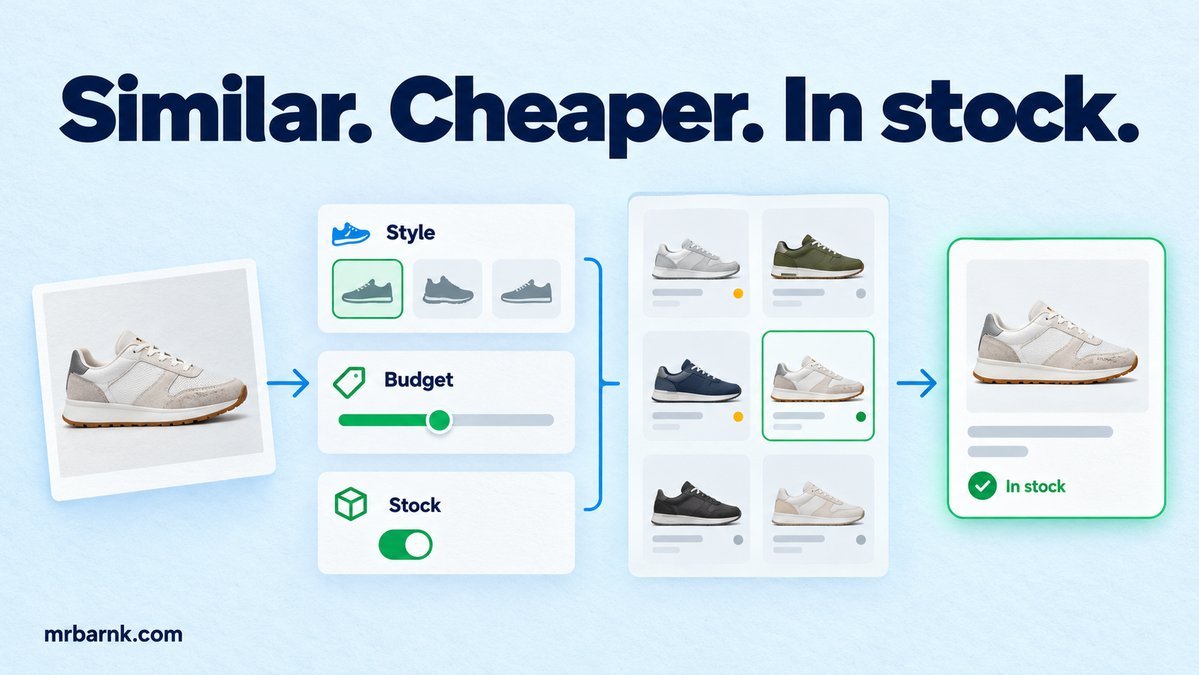
AI product search becomes difficult when a customer asks for “something like this, but cheaper”. A similarity search may find attractive products while ignoring the budget or returning a shoe that doesn’t come in their size.
The customer has given us two kinds of information: what they like and what the result must satisfy. Let’s keep those separate before choosing how to search.
Find the constraints before ranking products
Start with the current conversation and the referenced product. Extract a proposed budget, size, category and any other required fields. Keep uncertainty explicit: “cheaper” might mean below the referenced price, not below a number the model invents.
The application should normalise prices into minor currency units and sizes into your catalogue’s size system. “43” could mean a European shoe size; it isn’t automatically a valid size in every category.
When a required field is unclear, ask one relevant question. You don’t need a long form before every search, but you should avoid confidently applying an unsupported filter.
Separate hard conditions from preferences
A maximum budget and an available size are hard conditions when the customer says they are required. Style similarity, brand preference and colour closeness can be ranking signals.
Apply hard conditions before presenting results. A highly similar product that costs twice the stated budget shouldn’t appear as an ordinary match. If you choose to show an exception, label it clearly and ask whether the customer wants to relax the condition.
Hybrid search can combine several retrieval methods. MongoDB documents combining ranked search results; our application still needs its own constraint policy around those candidates. Hybrid search reference.
Build the filter and rank boundary
The example uses fixture similarity scores so we can test filtering without an embedding service. The highest-scoring product is deliberately over budget, and another candidate lacks the requested size.
import assert from 'node:assert/strict';
const items = [
  { id:'a',price:50000,currency:'NGN',sizes:[43],stock:2,similarity:.99 },
  { id:'b',price:28000,currency:'NGN',sizes:[42],stock:3,similarity:.95 },
  { id:'c',price:30000,currency:'NGN',sizes:[43],stock:1,similarity:.80 },
];
function search(constraints) {
  return items.filter(p => p.currency===constraints.currency && p.price<=constraints.maxPrice
    && p.sizes.includes(constraints.size) && p.stock>0)
    .sort((a,b)=>b.similarity-a.similarity);
}
assert.deepEqual(search({currency:'NGN',maxPrice:32000,size:43}).map(p=>p.id), ['c']);
assert.equal(search({currency:'NGN',maxPrice:10000,size:43}).length,0);
assert.equal(search({currency:'USD',maxPrice:32000,size:43}).length,0);
console.log('PASS: similarity cannot override budget, size, currency or stock');
Only the candidate satisfying the requirements survives. The code doesn’t prove that the similarity score is useful; it proves that ranking cannot override the hard conditions.
That separation makes later evaluation easier. You can improve retrieval quality without weakening the rule that an ordinary match must be purchasable under the customer’s stated limits.
Keep the product variant in the result
A product family may have several sizes, colours and prices. Return the matching variant ID, not only the parent product name. Otherwise, the assistant can recommend a valid family and later add an unavailable variant to the cart.
Store the query’s interpreted constraints, candidate IDs and ranking version with the recommendation. Keep the reference product ID as well. If the user says “the second one”, the application needs to know which version of the results they saw.
Don’t let a later catalogue update silently reorder an already displayed selection. Resolve that selection against its saved recommendation snapshot, then revalidate the variant before creating the cart action.
Handle no results without inventing alternatives
If no product meets all the conditions, explain the limiting condition. You might ask whether the customer can increase the budget or consider another colour, but don’t relax both without telling them.
Record the original constraints and the explicitly accepted relaxation. A request for black shoes should not become permission to buy any colour merely because the search returned nothing.
For conversational refinement, update only the fields the customer changed. “Actually, size 44” should preserve their budget and style reference unless they also changed those.
Use authoritative data at the action boundary
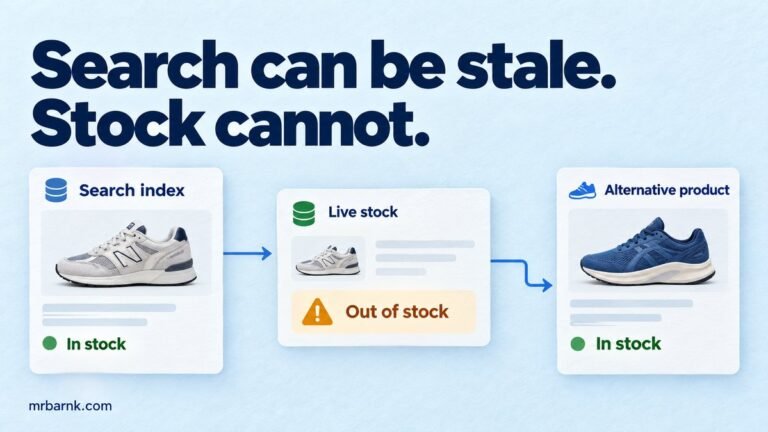
Search indexes are useful for discovery. Before adding a payable item, verify the current variant, currency, price and availability in the source catalogue or order service.
Keep that final check close to the cart or reservation operation. A validation several seconds before checkout can become stale while another customer buys the last item.
For display, you can tolerate a documented freshness window for descriptive text. For commitment, use a quote and reservation policy that tells the customer exactly what is being offered.
Evaluate relevance and constraint satisfaction separately
Build labelled cases with vague requests, explicit exclusions and contradictory requirements. Measure how many returned products satisfy the hard conditions, then assess how useful the surviving results are.
Include no-match cases. An assistant that always returns something may look helpful while repeatedly ignoring the customer. Correctly asking a follow-up is a valid outcome.
The local fixture tests three products. To assess real retrieval, use a representative catalogue, human relevance judgements and the actual search configuration. Record the query and index versions so results can be reproduced.
Start by making your hard conditions visible in code. Once budget, size and availability can’t be overridden by a high similarity score, you have a safer place to improve the quality of the recommendations.
Run the example and adapt it
Save the code as 13-constrained-product-search.mjs and run it with Node.js 24 or later:
node 13-constrained-product-search.mjs
The code above includes assertions you can run locally. It tests the local decision logic with controlled inputs; it doesn’t connect to a live provider or establish production performance. Keep that boundary when adapting it to your application.